
CI/CD Pipelines: The Foundation of Modern Software Delivery
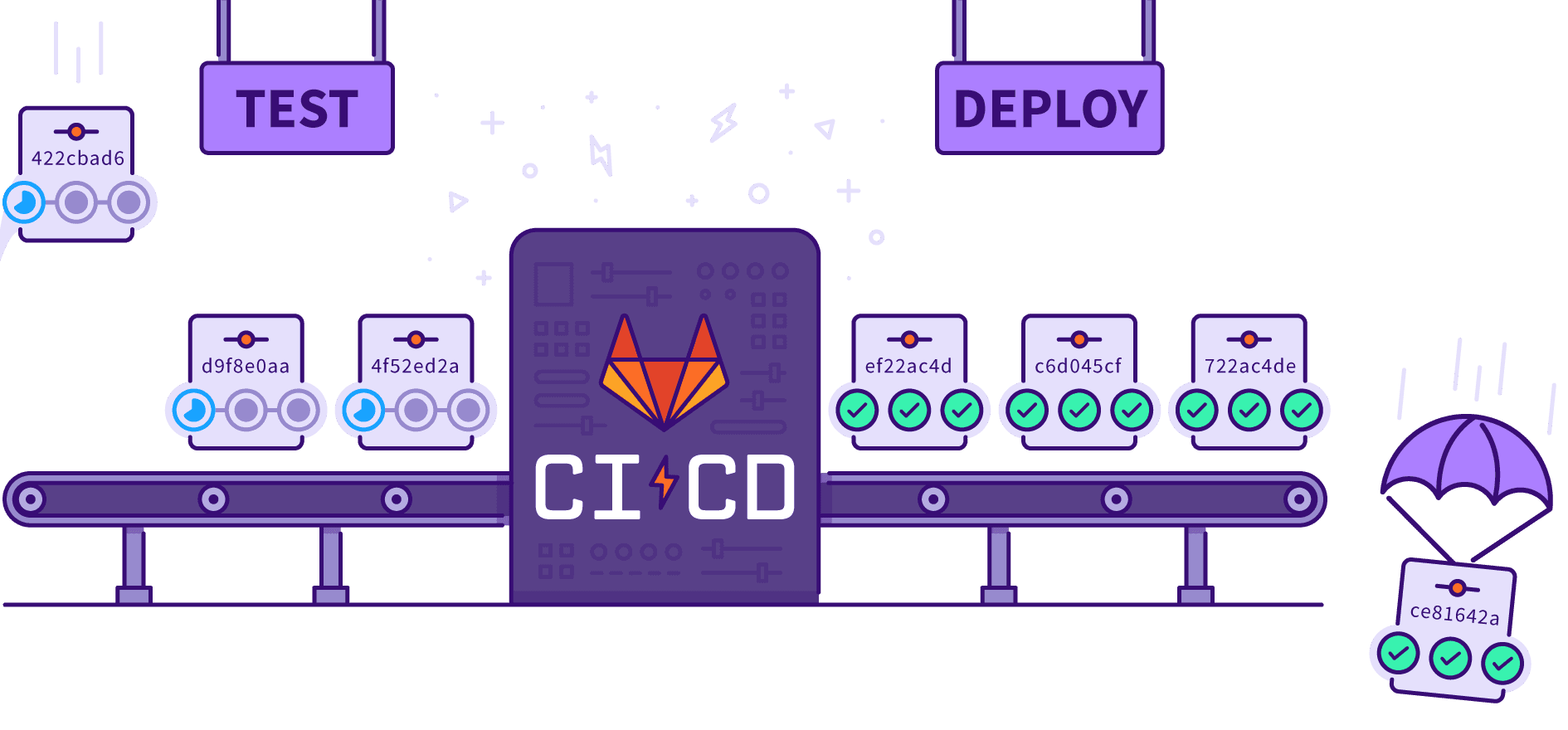
"If you're not automating your deployments, you're manually accumulating risk."
Introduction
Every time a developer pushes code, a decision is made: test it manually and deploy when you feel ready, or automate the entire journey from code commit to production. The second approach — CI/CD — has become the standard for teams that ship fast and ship safely.
CI/CD stands for Continuous Integration and Continuous Delivery/Deployment. Together they eliminate the manual, error-prone work of building, testing, and releasing software.
What is Continuous Integration (CI)?
Continuous Integration is the practice of automatically building and testing code every time a developer pushes a change.
The goals are simple:
- Catch bugs early — before they reach production
- Prevent "works on my machine" syndrome
- Keep the main branch always in a deployable state
A typical CI flow
1# GitHub Actions — CI workflow
2name: CI
3
4on: [push, pull_request]
5
6jobs:
7  build-and-test:
8    runs-on: ubuntu-latest
9    steps:
10      - uses: actions/checkout@v4
11      - uses: actions/setup-node@v4
12        with:
13          node-version: 20
14      - run: npm ci
15      - run: npm run lint
16      - run: npm test
Every push triggers this pipeline. If any step fails, the developer is notified immediately.
What is Continuous Delivery (CD)?
Continuous Delivery means that every successful build is automatically prepared for release. The code is always production-ready — deploying is a single button click (or fully automatic in Continuous Deployment).
| Term | What it means |
|---|---|
| Continuous Integration | Automatically build & test on every commit |
| Continuous Delivery | Automatically prepare a release artifact after a green build |
| Continuous Deployment | Automatically push every green build straight to production |
Most teams start with Continuous Delivery and graduate to full Continuous Deployment once they trust their test coverage.
Anatomy of a CI/CD Pipeline
A well-designed pipeline has four stages:
1. Source Stage
Triggered by a commit or pull request. The pipeline checks out the code and sets up the environment.
2. Build Stage
Compiles code, resolves dependencies, and creates a deployable artifact (Docker image, JAR, zip, etc.).
1# Dockerfile — multi-stage build
2FROM node:20-alpine AS builder
3WORKDIR /app
4COPY package*.json ./
5RUN npm ci
6COPY . .
7RUN npm run build
8
9FROM node:20-alpine AS runner
10WORKDIR /app
11COPY /app/.next ./.next
12COPY /app/public ./public
13CMD ["node", "server.js"]3. Test Stage
Runs all automated tests — unit, integration, end-to-end, security scans, and linting.
test:
  runs-on: ubuntu-latest
  steps:
    - run: npm run test:unit
    - run: npm run test:integration
    - run: npm run test:e2e
    - uses: github/codeql-action/analyze@v3
4. Deploy Stage
Pushes the artifact to the target environment — staging first, then production.
1deploy-production:
2  needs: test
3  runs-on: ubuntu-latest
4  if: github.ref == 'refs/heads/main'
5  steps:
6    - name: Deploy to production
7      run: |
8        docker build -t myapp:${{ github.sha }} .
9        docker push registry.example.com/myapp:${{ github.sha }}
10        kubectl set image deployment/myapp app=registry.example.com/myapp:${{ github.sha }}
Common CI/CD Tools
| Category | Tools |
|---|---|
| CI/CD Platforms | GitHub Actions, GitLab CI, CircleCI, Jenkins |
| Containerization | Docker, Buildah, Podman |
| Orchestration | Kubernetes, AWS ECS, Google Cloud Run |
| Artifact Storage | Docker Hub, AWS ECR, GitHub Packages |
| IaC | Terraform, Pulumi, AWS CloudFormation |
| Monitoring | Datadog, Prometheus, Grafana, Sentry |
Deployment Strategies
Shipping to production should be low-risk and reversible. Choose the right strategy for your scale:
Blue-Green Deployment
Run two identical environments. Switch traffic to the new version instantly; roll back by switching back.
Traffic → [Blue: v1.0]   ──→   Traffic → [Green: v2.0]
          [Green: v2.0]               [Blue: v1.0] ← standby
Canary Release
Roll out to a small percentage of users first. Increase gradually if metrics look healthy.
100% traffic → v1.0
 ↓  (canary: 5%)
 5% traffic  → v2.0   (monitor error rate, latency)
 ↓  (if healthy)
50% → v2.0
100% → v2.0
Rolling Update
Replace instances one at a time. Zero downtime, no double infrastructure cost.
Secrets and Security
Pipelines handle credentials, API keys, and certificates. Treat secrets as first-class security concerns:
- Never hardcode secrets in code or pipeline files
- Use your platform's secrets store: GitHub Secrets, AWS Secrets Manager, HashiCorp Vault
- Rotate secrets regularly and audit pipeline access
# GitHub Actions — safe secret usage
- name: Deploy
  env:
    DATABASE_URL: ${{ secrets.DATABASE_URL }}
    API_KEY: ${{ secrets.API_KEY }}
  run: ./deploy.sh
Testing Strategy Inside a Pipeline
| Test Type | When to Run | Speed | Purpose |
|---|---|---|---|
| Unit tests | Every commit | Fast (< 1m) | Business logic correctness |
| Integration tests | Every commit | Medium (2–5m) | Service interaction checks |
| E2E tests | Pre-deploy | Slow (5–15m) | Full user journey validation |
| Load tests | Pre-production | Slow | Performance validation |
| Security scans | Every commit | Medium | Vulnerability detection |
Best Practices
- Keep pipelines fast. A 30-minute pipeline discourages commits. Parallelize stages, cache dependencies.
- Fail fast. Put the fastest, most likely-to-fail checks first (lint → unit → integration → e2e).
- Every branch gets CI, only main gets CD. Guard production deployments with branch rules.
- Version your artifacts. Tag Docker images and release artifacts with the commit SHA or version tag.
- Monitor your pipeline health. Track pipeline duration and failure rate as engineering metrics.
- Test your rollback. A pipeline that can't roll back quickly is a liability.
Real-World Example: Full GitHub Actions Pipeline
1name: Full CI/CD Pipeline
2
3on:
4  push:
5    branches: [main, develop]
6  pull_request:
7    branches: [main]
8
9jobs:
10  lint-and-test:
11    runs-on: ubuntu-latest
12    steps:
13      - uses: actions/checkout@v4
14      - uses: actions/setup-node@v4
15        with:
16          node-version: 20
17          cache: npm
18      - run: npm ci
19      - run: npm run lint
20      - run: npm test -- --coverage
21
22  build:
23    needs: lint-and-test
24    runs-on: ubuntu-latest
25    steps:
26      - uses: actions/checkout@v4
27      - name: Build Docker image
28        run: docker build -t myapp:${{ github.sha }} .
29      - name: Push to registry
30        run: |
31          echo "${{ secrets.REGISTRY_TOKEN }}" | docker login ghcr.io -u ${{ github.actor }} --password-stdin
32          docker push ghcr.io/${{ github.repository }}:${{ github.sha }}
33
34  deploy-staging:
35    needs: build
36    runs-on: ubuntu-latest
37    environment: staging
38    if: github.ref == 'refs/heads/develop'
39    steps:
40      - name: Deploy to staging
41        run: kubectl set image deployment/myapp app=ghcr.io/${{ github.repository }}:${{ github.sha }}
42
43  deploy-production:
44    needs: build
45    runs-on: ubuntu-latest
46    environment: production
47    if: github.ref == 'refs/heads/main'
48    steps:
49      - name: Deploy to production
50        run: kubectl set image deployment/myapp app=ghcr.io/${{ github.repository }}:${{ github.sha }}
Conclusion
A CI/CD pipeline is not just a DevOps tool — it's an engineering philosophy. It enforces discipline, reduces human error, and lets teams ship with confidence.
The teams shipping 10× faster than you aren't working harder — they've automated the boring parts.
Start small: add a basic CI check to your next project. Then iterate. Add staging deployments. Add E2E tests. Add canary releases. Over time, your pipeline becomes your most trusted safety net.
Written by
Kirtesh Admute
Full-stack engineer and digital architect — building scalable, production-grade systems with real-world impact.
&w=3840&q=75)